Critics have remarked that those four worthies were truly peerless throughout the ages; yet the present falls short of the past—the ancients favored unadorned simplicity, whereas the moderns prefer refined elegance. Styles of substance and ornament rise and fall in succession, shifting with the changing mores of the times; such evolution is simply the natural order of things. The ideal lies in honoring antiquity without clashing with the present, and embracing modernity without succumbing to its flaws—embodying that perfect balance of substance and refinement that defines the true gentleman. There is surely no need to abandon a carved palace in favor of a cave dwelling, or to trade a jade carriage for a primitive cart with solid wooden wheels.🌌 SpectraShell
# -*- coding: iso-8859-1 -*-
"""Get useful information from live Python objects.
This module encapsulates the interface provided by the internal special
attributes (func_*, co_*, im_*, tb_*, etc.) in a friendlier fashion.
It also provides some help for examining source code and class layout.
Here are some of the useful functions provided by this module:
ismodule(), isclass(), ismethod(), isfunction(), isgeneratorfunction(),
isgenerator(), istraceback(), isframe(), iscode(), isbuiltin(),
isroutine() - check object types
getmembers() - get members of an object that satisfy a given condition
getfile(), getsourcefile(), getsource() - find an object's source code
getdoc(), getcomments() - get documentation on an object
getmodule() - determine the module that an object came from
getclasstree() - arrange classes so as to represent their hierarchy
getargspec(), getargvalues(), getcallargs() - get info about function arguments
formatargspec(), formatargvalues() - format an argument spec
getouterframes(), getinnerframes() - get info about frames
currentframe() - get the current stack frame
stack(), trace() - get info about frames on the stack or in a traceback
"""
# This module is in the public domain. No warranties.
__author__ = 'Ka-Ping Yee <ping@lfw.org>'
__date__ = '1 Jan 2001'
import sys
import os
import types
import string
import re
import dis
import imp
import tokenize
import linecache
from operator import attrgetter
from collections import namedtuple
# These constants are from Include/code.h.
CO_OPTIMIZED, CO_NEWLOCALS, CO_VARARGS, CO_VARKEYWORDS = 0x1, 0x2, 0x4, 0x8
CO_NESTED, CO_GENERATOR, CO_NOFREE = 0x10, 0x20, 0x40
# See Include/object.h
TPFLAGS_IS_ABSTRACT = 1 << 20
# ----------------------------------------------------------- type-checking
def ismodule(object):
"""Return true if the object is a module.
Module objects provide these attributes:
__doc__ documentation string
__file__ filename (missing for built-in modules)"""
return isinstance(object, types.ModuleType)
def isclass(object):
"""Return true if the object is a class.
Class objects provide these attributes:
__doc__ documentation string
__module__ name of module in which this class was defined"""
return isinstance(object, (type, types.ClassType))
def ismethod(object):
"""Return true if the object is an instance method.
Instance method objects provide these attributes:
__doc__ documentation string
__name__ name with which this method was defined
im_class class object in which this method belongs
im_func function object containing implementation of method
im_self instance to which this method is bound, or None"""
return isinstance(object, types.MethodType)
def ismethoddescriptor(object):
"""Return true if the object is a method descriptor.
But not if ismethod() or isclass() or isfunction() are true.
This is new in Python 2.2, and, for example, is true of int.__add__.
An object passing this test has a __get__ attribute but not a __set__
attribute, but beyond that the set of attributes varies. __name__ is
usually sensible, and __doc__ often is.
Methods implemented via descriptors that also pass one of the other
tests return false from the ismethoddescriptor() test, simply because
the other tests promise more -- you can, e.g., count on having the
im_func attribute (etc) when an object passes ismethod()."""
return (hasattr(object, "__get__")
and not hasattr(object, "__set__") # else it's a data descriptor
and not ismethod(object) # mutual exclusion
and not isfunction(object)
and not isclass(object))
def isdatadescriptor(object):
"""Return true if the object is a data descriptor.
Data descriptors have both a __get__ and a __set__ attribute. Examples are
properties (defined in Python) and getsets and members (defined in C).
Typically, data descriptors will also have __name__ and __doc__ attributes
(properties, getsets, and members have both of these attributes), but this
is not guaranteed."""
return (hasattr(object, "__set__") and hasattr(object, "__get__"))
if hasattr(types, 'MemberDescriptorType'):
# CPython and equivalent
def ismemberdescriptor(object):
"""Return true if the object is a member descriptor.
Member descriptors are specialized descriptors defined in extension
modules."""
return isinstance(object, types.MemberDescriptorType)
else:
# Other implementations
def ismemberdescriptor(object):
"""Return true if the object is a member descriptor.
Member descriptors are specialized descriptors defined in extension
modules."""
return False
if hasattr(types, 'GetSetDescriptorType'):
# CPython and equivalent
def isgetsetdescriptor(object):
"""Return true if the object is a getset descriptor.
getset descriptors are specialized descriptors defined in extension
modules."""
return isinstance(object, types.GetSetDescriptorType)
else:
# Other implementations
def isgetsetdescriptor(object):
"""Return true if the object is a getset descriptor.
getset descriptors are specialized descriptors defined in extension
modules."""
return False
def isfunction(object):
"""Return true if the object is a user-defined function.
Function objects provide these attributes:
__doc__ documentation string
__name__ name with which this function was defined
func_code code object containing compiled function bytecode
func_defaults tuple of any default values for arguments
func_doc (same as __doc__)
func_globals global namespace in which this function was defined
func_name (same as __name__)"""
return isinstance(object, types.FunctionType)
def isgeneratorfunction(object):
"""Return true if the object is a user-defined generator function.
Generator function objects provide the same attributes as functions.
See help(isfunction) for a list of attributes."""
return bool((isfunction(object) or ismethod(object)) and
object.func_code.co_flags & CO_GENERATOR)
def isgenerator(object):
"""Return true if the object is a generator.
Generator objects provide these attributes:
__iter__ defined to support iteration over container
close raises a new GeneratorExit exception inside the
generator to terminate the iteration
gi_code code object
gi_frame frame object or possibly None once the generator has
been exhausted
gi_running set to 1 when generator is executing, 0 otherwise
next return the next item from the container
send resumes the generator and "sends" a value that becomes
the result of the current yield-expression
throw used to raise an exception inside the generator"""
return isinstance(object, types.GeneratorType)
def istraceback(object):
"""Return true if the object is a traceback.
Traceback objects provide these attributes:
tb_frame frame object at this level
tb_lasti index of last attempted instruction in bytecode
tb_lineno current line number in Python source code
tb_next next inner traceback object (called by this level)"""
return isinstance(object, types.TracebackType)
def isframe(object):
"""Return true if the object is a frame object.
Frame objects provide these attributes:
f_back next outer frame object (this frame's caller)
f_builtins built-in namespace seen by this frame
f_code code object being executed in this frame
f_exc_traceback traceback if raised in this frame, or None
f_exc_type exception type if raised in this frame, or None
f_exc_value exception value if raised in this frame, or None
f_globals global namespace seen by this frame
f_lasti index of last attempted instruction in bytecode
f_lineno current line number in Python source code
f_locals local namespace seen by this frame
f_restricted 0 or 1 if frame is in restricted execution mode
f_trace tracing function for this frame, or None"""
return isinstance(object, types.FrameType)
def iscode(object):
"""Return true if the object is a code object.
Code objects provide these attributes:
co_argcount number of arguments (not including * or ** args)
co_code string of raw compiled bytecode
co_consts tuple of constants used in the bytecode
co_filename name of file in which this code object was created
co_firstlineno number of first line in Python source code
co_flags bitmap: 1=optimized | 2=newlocals | 4=*arg | 8=**arg
co_lnotab encoded mapping of line numbers to bytecode indices
co_name name with which this code object was defined
co_names tuple of names of local variables
co_nlocals number of local variables
co_stacksize virtual machine stack space required
co_varnames tuple of names of arguments and local variables"""
return isinstance(object, types.CodeType)
def isbuiltin(object):
"""Return true if the object is a built-in function or method.
Built-in functions and methods provide these attributes:
__doc__ documentation string
__name__ original name of this function or method
__self__ instance to which a method is bound, or None"""
return isinstance(object, types.BuiltinFunctionType)
def isroutine(object):
"""Return true if the object is any kind of function or method."""
return (isbuiltin(object)
or isfunction(object)
or ismethod(object)
or ismethoddescriptor(object))
def isabstract(object):
"""Return true if the object is an abstract base class (ABC)."""
return bool(isinstance(object, type) and object.__flags__ & TPFLAGS_IS_ABSTRACT)
def getmembers(object, predicate=None):
"""Return all members of an object as (name, value) pairs sorted by name.
Optionally, only return members that satisfy a given predicate."""
results = []
for key in dir(object):
try:
value = getattr(object, key)
except AttributeError:
continue
if not predicate or predicate(value):
results.append((key, value))
results.sort()
return results
Attribute = namedtuple('Attribute', 'name kind defining_class object')
def classify_class_attrs(cls):
"""Return list of attribute-descriptor tuples.
For each name in dir(cls), the return list contains a 4-tuple
with these elements:
0. The name (a string).
1. The kind of attribute this is, one of these strings:
'class method' created via classmethod()
'static method' created via staticmethod()
'property' created via property()
'method' any other flavor of method
'data' not a method
2. The class which defined this attribute (a class).
3. The object as obtained directly from the defining class's
__dict__, not via getattr. This is especially important for
data attributes: C.data is just a data object, but
C.__dict__['data'] may be a data descriptor with additional
info, like a __doc__ string.
"""
mro = getmro(cls)
names = dir(cls)
result = []
for name in names:
# Get the object associated with the name, and where it was defined.
# Getting an obj from the __dict__ sometimes reveals more than
# using getattr. Static and class methods are dramatic examples.
# Furthermore, some objects may raise an Exception when fetched with
# getattr(). This is the case with some descriptors (bug #1785).
# Thus, we only use getattr() as a last resort.
homecls = None
for base in (cls,) + mro:
if name in base.__dict__:
obj = base.__dict__[name]
homecls = base
break
else:
obj = getattr(cls, name)
homecls = getattr(obj, "__objclass__", homecls)
# Classify the object.
if isinstance(obj, staticmethod):
kind = "static method"
elif isinstance(obj, classmethod):
kind = "class method"
elif isinstance(obj, property):
kind = "property"
elif ismethoddescriptor(obj):
kind = "method"
elif isdatadescriptor(obj):
kind = "data"
else:
obj_via_getattr = getattr(cls, name)
if (ismethod(obj_via_getattr) or
ismethoddescriptor(obj_via_getattr)):
kind = "method"
else:
kind = "data"
obj = obj_via_getattr
result.append(Attribute(name, kind, homecls, obj))
return result
# ----------------------------------------------------------- class helpers
def _searchbases(cls, accum):
# Simulate the "classic class" search order.
if cls in accum:
return
accum.append(cls)
for base in cls.__bases__:
_searchbases(base, accum)
def getmro(cls):
"Return tuple of base classes (including cls) in method resolution order."
if hasattr(cls, "__mro__"):
return cls.__mro__
else:
result = []
_searchbases(cls, result)
return tuple(result)
# -------------------------------------------------- source code extraction
def indentsize(line):
"""Return the indent size, in spaces, at the start of a line of text."""
expline = string.expandtabs(line)
return len(expline) - len(string.lstrip(expline))
def getdoc(object):
"""Get the documentation string for an object.
All tabs are expanded to spaces. To clean up docstrings that are
indented to line up with blocks of code, any whitespace than can be
uniformly removed from the second line onwards is removed."""
try:
doc = object.__doc__
except AttributeError:
return None
if not isinstance(doc, types.StringTypes):
return None
return cleandoc(doc)
def cleandoc(doc):
"""Clean up indentation from docstrings.
Any whitespace that can be uniformly removed from the second line
onwards is removed."""
try:
lines = string.split(string.expandtabs(doc), '\n')
except UnicodeError:
return None
else:
# Find minimum indentation of any non-blank lines after first line.
margin = sys.maxint
for line in lines[1:]:
content = len(string.lstrip(line))
if content:
indent = len(line) - content
margin = min(margin, indent)
# Remove indentation.
if lines:
lines[0] = lines[0].lstrip()
if margin < sys.maxint:
for i in range(1, len(lines)): lines[i] = lines[i][margin:]
# Remove any trailing or leading blank lines.
while lines and not lines[-1]:
lines.pop()
while lines and not lines[0]:
lines.pop(0)
return string.join(lines, '\n')
def getfile(object):
"""Work out which source or compiled file an object was defined in."""
if ismodule(object):
if hasattr(object, '__file__'):
return object.__file__
raise TypeError('{!r} is a built-in module'.format(object))
if isclass(object):
object = sys.modules.get(object.__module__)
if hasattr(object, '__file__'):
return object.__file__
raise TypeError('{!r} is a built-in class'.format(object))
if ismethod(object):
object = object.im_func
if isfunction(object):
object = object.func_code
if istraceback(object):
object = object.tb_frame
if isframe(object):
object = object.f_code
if iscode(object):
return object.co_filename
raise TypeError('{!r} is not a module, class, method, '
'function, traceback, frame, or code object'.format(object))
ModuleInfo = namedtuple('ModuleInfo', 'name suffix mode module_type')
def getmoduleinfo(path):
"""Get the module name, suffix, mode, and module type for a given file."""
filename = os.path.basename(path)
suffixes = map(lambda info:
(-len(info[0]), info[0], info[1], info[2]),
imp.get_suffixes())
suffixes.sort() # try longest suffixes first, in case they overlap
for neglen, suffix, mode, mtype in suffixes:
if filename[neglen:] == suffix:
return ModuleInfo(filename[:neglen], suffix, mode, mtype)
def getmodulename(path):
"""Return the module name for a given file, or None."""
info = getmoduleinfo(path)
if info: return info[0]
def getsourcefile(object):
"""Return the filename that can be used to locate an object's source.
Return None if no way can be identified to get the source.
"""
filename = getfile(object)
if string.lower(filename[-4:]) in ('.pyc', '.pyo'):
filename = filename[:-4] + '.py'
for suffix, mode, kind in imp.get_suffixes():
if 'b' in mode and string.lower(filename[-len(suffix):]) == suffix:
# Looks like a binary file. We want to only return a text file.
return None
if os.path.exists(filename):
return filename
# only return a non-existent filename if the module has a PEP 302 loader
if hasattr(getmodule(object, filename), '__loader__'):
return filename
# or it is in the linecache
if filename in linecache.cache:
return filename
def getabsfile(object, _filename=None):
"""Return an absolute path to the source or compiled file for an object.
The idea is for each object to have a unique origin, so this routine
normalizes the result as much as possible."""
if _filename is None:
_filename = getsourcefile(object) or getfile(object)
return os.path.normcase(os.path.abspath(_filename))
modulesbyfile = {}
_filesbymodname = {}
def getmodule(object, _filename=None):
"""Return the module an object was defined in, or None if not found."""
if ismodule(object):
return object
if hasattr(object, '__module__'):
return sys.modules.get(object.__module__)
# Try the filename to modulename cache
if _filename is not None and _filename in modulesbyfile:
return sys.modules.get(modulesbyfile[_filename])
# Try the cache again with the absolute file name
try:
file = getabsfile(object, _filename)
except TypeError:
return None
if file in modulesbyfile:
return sys.modules.get(modulesbyfile[file])
# Update the filename to module name cache and check yet again
# Copy sys.modules in order to cope with changes while iterating
for modname, module in sys.modules.items():
if ismodule(module) and hasattr(module, '__file__'):
f = module.__file__
if f == _filesbymodname.get(modname, None):
# Have already mapped this module, so skip it
continue
_filesbymodname[modname] = f
f = getabsfile(module)
# Always map to the name the module knows itself by
modulesbyfile[f] = modulesbyfile[
os.path.realpath(f)] = module.__name__
if file in modulesbyfile:
return sys.modules.get(modulesbyfile[file])
# Check the main module
main = sys.modules['__main__']
if not hasattr(object, '__name__'):
return None
if hasattr(main, object.__name__):
mainobject = getattr(main, object.__name__)
if mainobject is object:
return main
# Check builtins
builtin = sys.modules['__builtin__']
if hasattr(builtin, object.__name__):
builtinobject = getattr(builtin, object.__name__)
if builtinobject is object:
return builtin
def findsource(object):
"""Return the entire source file and starting line number for an object.
The argument may be a module, class, method, function, traceback, frame,
or code object. The source code is returned as a list of all the lines
in the file and the line number indexes a line in that list. An IOError
is raised if the source code cannot be retrieved."""
file = getfile(object)
sourcefile = getsourcefile(object)
if not sourcefile and file[:1] + file[-1:] != '<>':
raise IOError('source code not available')
file = sourcefile if sourcefile else file
module = getmodule(object, file)
if module:
lines = linecache.getlines(file, module.__dict__)
else:
lines = linecache.getlines(file)
if not lines:
raise IOError('could not get source code')
if ismodule(object):
return lines, 0
if isclass(object):
name = object.__name__
pat = re.compile(r'^(\s*)class\s*' + name + r'\b')
# make some effort to find the best matching class definition:
# use the one with the least indentation, which is the one
# that's most probably not inside a function definition.
candidates = []
for i in range(len(lines)):
match = pat.match(lines[i])
if match:
# if it's at toplevel, it's already the best one
if lines[i][0] == 'c':
return lines, i
# else add whitespace to candidate list
candidates.append((match.group(1), i))
if candidates:
# this will sort by whitespace, and by line number,
# less whitespace first
candidates.sort()
return lines, candidates[0][1]
else:
raise IOError('could not find class definition')
if ismethod(object):
object = object.im_func
if isfunction(object):
object = object.func_code
if istraceback(object):
object = object.tb_frame
if isframe(object):
object = object.f_code
if iscode(object):
if not hasattr(object, 'co_firstlineno'):
raise IOError('could not find function definition')
lnum = object.co_firstlineno - 1
pat = re.compile(r'^(\s*def\s)|(.*(?<!\w)lambda(:|\s))|^(\s*@)')
while lnum > 0:
if pat.match(lines[lnum]): break
lnum = lnum - 1
return lines, lnum
raise IOError('could not find code object')
def getcomments(object):
"""Get lines of comments immediately preceding an object's source code.
Returns None when source can't be found.
"""
try:
lines, lnum = findsource(object)
except (IOError, TypeError):
return None
if ismodule(object):
# Look for a comment block at the top of the file.
start = 0
if lines and lines[0][:2] == '#!': start = 1
while start < len(lines) and string.strip(lines[start]) in ('', '#'):
start = start + 1
if start < len(lines) and lines[start][:1] == '#':
comments = []
end = start
while end < len(lines) and lines[end][:1] == '#':
comments.append(string.expandtabs(lines[end]))
end = end + 1
return string.join(comments, '')
# Look for a preceding block of comments at the same indentation.
elif lnum > 0:
indent = indentsize(lines[lnum])
end = lnum - 1
if end >= 0 and string.lstrip(lines[end])[:1] == '#' and \
indentsize(lines[end]) == indent:
comments = [string.lstrip(string.expandtabs(lines[end]))]
if end > 0:
end = end - 1
comment = string.lstrip(string.expandtabs(lines[end]))
while comment[:1] == '#' and indentsize(lines[end]) == indent:
comments[:0] = [comment]
end = end - 1
if end < 0: break
comment = string.lstrip(string.expandtabs(lines[end]))
while comments and string.strip(comments[0]) == '#':
comments[:1] = []
while comments and string.strip(comments[-1]) == '#':
comments[-1:] = []
return string.join(comments, '')
class EndOfBlock(Exception): pass
class BlockFinder:
"""Provide a tokeneater() method to detect the end of a code block."""
def __init__(self):
self.indent = 0
self.islambda = False
self.started = False
self.passline = False
self.last = 1
def tokeneater(self, type, token, srow_scol, erow_ecol, line):
srow, scol = srow_scol
erow, ecol = erow_ecol
if not self.started:
# look for the first "def", "class" or "lambda"
if token in ("def", "class", "lambda"):
if token == "lambda":
self.islambda = True
self.started = True
self.passline = True # skip to the end of the line
elif type == tokenize.NEWLINE:
self.passline = False # stop skipping when a NEWLINE is seen
self.last = srow
if self.islambda: # lambdas always end at the first NEWLINE
raise EndOfBlock
elif self.passline:
pass
elif type == tokenize.INDENT:
self.indent = self.indent + 1
self.passline = True
elif type == tokenize.DEDENT:
self.indent = self.indent - 1
# the end of matching indent/dedent pairs end a block
# (note that this only works for "def"/"class" blocks,
# not e.g. for "if: else:" or "try: finally:" blocks)
if self.indent <= 0:
raise EndOfBlock
elif self.indent == 0 and type not in (tokenize.COMMENT, tokenize.NL):
# any other token on the same indentation level end the previous
# block as well, except the pseudo-tokens COMMENT and NL.
raise EndOfBlock
def getblock(lines):
"""Extract the block of code at the top of the given list of lines."""
blockfinder = BlockFinder()
try:
tokenize.tokenize(iter(lines).next, blockfinder.tokeneater)
except (EndOfBlock, IndentationError):
pass
return lines[:blockfinder.last]
def getsourcelines(object):
"""Return a list of source lines and starting line number for an object.
The argument may be a module, class, method, function, traceback, frame,
or code object. The source code is returned as a list of the lines
corresponding to the object and the line number indicates where in the
original source file the first line of code was found. An IOError is
raised if the source code cannot be retrieved."""
lines, lnum = findsource(object)
if istraceback(object):
object = object.tb_frame
# for module or frame that corresponds to module, return all source lines
if (ismodule(object) or
(isframe(object) and object.f_code.co_name == "<module>")):
return lines, 0
else:
return getblock(lines[lnum:]), lnum + 1
def getsource(object):
"""Return the text of the source code for an object.
The argument may be a module, class, method, function, traceback, frame,
or code object. The source code is returned as a single string. An
IOError is raised if the source code cannot be retrieved."""
lines, lnum = getsourcelines(object)
return string.join(lines, '')
# --------------------------------------------------- class tree extraction
def walktree(classes, children, parent):
"""Recursive helper function for getclasstree()."""
results = []
classes.sort(key=attrgetter('__module__', '__name__'))
for c in classes:
results.append((c, c.__bases__))
if c in children:
results.append(walktree(children[c], children, c))
return results
def getclasstree(classes, unique=0):
"""Arrange the given list of classes into a hierarchy of nested lists.
Where a nested list appears, it contains classes derived from the class
whose entry immediately precedes the list. Each entry is a 2-tuple
containing a class and a tuple of its base classes. If the 'unique'
argument is true, exactly one entry appears in the returned structure
for each class in the given list. Otherwise, classes using multiple
inheritance and their descendants will appear multiple times."""
children = {}
roots = []
for c in classes:
if c.__bases__:
for parent in c.__bases__:
if not parent in children:
children[parent] = []
if c not in children[parent]:
children[parent].append(c)
if unique and parent in classes: break
elif c not in roots:
roots.append(c)
for parent in children:
if parent not in classes:
roots.append(parent)
return walktree(roots, children, None)
# ------------------------------------------------ argument list extraction
Arguments = namedtuple('Arguments', 'args varargs keywords')
def getargs(co):
"""Get information about the arguments accepted by a code object.
Three things are returned: (args, varargs, varkw), where 'args' is
a list of argument names (possibly containing nested lists), and
'varargs' and 'varkw' are the names of the * and ** arguments or None."""
if not iscode(co):
raise TypeError('{!r} is not a code object'.format(co))
nargs = co.co_argcount
names = co.co_varnames
args = list(names[:nargs])
step = 0
# The following acrobatics are for anonymous (tuple) arguments.
for i in range(nargs):
if args[i][:1] in ('', '.'):
stack, remain, count = [], [], []
while step < len(co.co_code):
op = ord(co.co_code[step])
step = step + 1
if op >= dis.HAVE_ARGUMENT:
opname = dis.opname[op]
value = ord(co.co_code[step]) + ord(co.co_code[step+1])*256
step = step + 2
if opname in ('UNPACK_TUPLE', 'UNPACK_SEQUENCE'):
remain.append(value)
count.append(value)
elif opname in ('STORE_FAST', 'STORE_DEREF'):
if opname == 'STORE_FAST':
stack.append(names[value])
else:
stack.append(co.co_cellvars[value])
# Special case for sublists of length 1: def foo((bar))
# doesn't generate the UNPACK_TUPLE bytecode, so if
# `remain` is empty here, we have such a sublist.
if not remain:
stack[0] = [stack[0]]
break
else:
remain[-1] = remain[-1] - 1
while remain[-1] == 0:
remain.pop()
size = count.pop()
stack[-size:] = [stack[-size:]]
if not remain: break
remain[-1] = remain[-1] - 1
if not remain: break
args[i] = stack[0]
varargs = None
if co.co_flags & CO_VARARGS:
varargs = co.co_varnames[nargs]
nargs = nargs + 1
varkw = None
if co.co_flags & CO_VARKEYWORDS:
varkw = co.co_varnames[nargs]
return Arguments(args, varargs, varkw)
ArgSpec = namedtuple('ArgSpec', 'args varargs keywords defaults')
def getargspec(func):
"""Get the names and default values of a function's arguments.
A tuple of four things is returned: (args, varargs, varkw, defaults).
'args' is a list of the argument names (it may contain nested lists).
'varargs' and 'varkw' are the names of the * and ** arguments or None.
'defaults' is an n-tuple of the default values of the last n arguments.
"""
if ismethod(func):
func = func.im_func
if not isfunction(func):
raise TypeError('{!r} is not a Python function'.format(func))
args, varargs, varkw = getargs(func.func_code)
return ArgSpec(args, varargs, varkw, func.func_defaults)
ArgInfo = namedtuple('ArgInfo', 'args varargs keywords locals')
def getargvalues(frame):
"""Get information about arguments passed into a particular frame.
A tuple of four things is returned: (args, varargs, varkw, locals).
'args' is a list of the argument names (it may contain nested lists).
'varargs' and 'varkw' are the names of the * and ** arguments or None.
'locals' is the locals dictionary of the given frame."""
args, varargs, varkw = getargs(frame.f_code)
return ArgInfo(args, varargs, varkw, frame.f_locals)
def joinseq(seq):
if len(seq) == 1:
return '(' + seq[0] + ',)'
else:
return '(' + string.join(seq, ', ') + ')'
def strseq(object, convert, join=joinseq):
"""Recursively walk a sequence, stringifying each element."""
if type(object) in (list, tuple):
return join(map(lambda o, c=convert, j=join: strseq(o, c, j), object))
else:
return convert(object)
def formatargspec(args, varargs=None, varkw=None, defaults=None,
formatarg=str,
formatvarargs=lambda name: '*' + name,
formatvarkw=lambda name: '**' + name,
formatvalue=lambda value: '=' + repr(value),
join=joinseq):
"""Format an argument spec from the 4 values returned by getargspec.
The first four arguments are (args, varargs, varkw, defaults). The
other four arguments are the corresponding optional formatting functions
that are called to turn names and values into strings. The ninth
argument is an optional function to format the sequence of arguments."""
specs = []
if defaults:
firstdefault = len(args) - len(defaults)
for i, arg in enumerate(args):
spec = strseq(arg, formatarg, join)
if defaults and i >= firstdefault:
spec = spec + formatvalue(defaults[i - firstdefault])
specs.append(spec)
if varargs is not None:
specs.append(formatvarargs(varargs))
if varkw is not None:
specs.append(formatvarkw(varkw))
return '(' + string.join(specs, ', ') + ')'
def formatargvalues(args, varargs, varkw, locals,
formatarg=str,
formatvarargs=lambda name: '*' + name,
formatvarkw=lambda name: '**' + name,
formatvalue=lambda value: '=' + repr(value),
join=joinseq):
"""Format an argument spec from the 4 values returned by getargvalues.
The first four arguments are (args, varargs, varkw, locals). The
next four arguments are the corresponding optional formatting functions
that are called to turn names and values into strings. The ninth
argument is an optional function to format the sequence of arguments."""
def convert(name, locals=locals,
formatarg=formatarg, formatvalue=formatvalue):
return formatarg(name) + formatvalue(locals[name])
specs = []
for i in range(len(args)):
specs.append(strseq(args[i], convert, join))
if varargs:
specs.append(formatvarargs(varargs) + formatvalue(locals[varargs]))
if varkw:
specs.append(formatvarkw(varkw) + formatvalue(locals[varkw]))
return '(' + string.join(specs, ', ') + ')'
def getcallargs(func, *positional, **named):
"""Get the mapping of arguments to values.
A dict is returned, with keys the function argument names (including the
names of the * and ** arguments, if any), and values the respective bound
values from 'positional' and 'named'."""
args, varargs, varkw, defaults = getargspec(func)
f_name = func.__name__
arg2value = {}
# The following closures are basically because of tuple parameter unpacking.
assigned_tuple_params = []
def assign(arg, value):
if isinstance(arg, str):
arg2value[arg] = value
else:
assigned_tuple_params.append(arg)
value = iter(value)
for i, subarg in enumerate(arg):
try:
subvalue = next(value)
except StopIteration:
raise ValueError('need more than %d %s to unpack' %
(i, 'values' if i > 1 else 'value'))
assign(subarg,subvalue)
try:
next(value)
except StopIteration:
pass
else:
raise ValueError('too many values to unpack')
def is_assigned(arg):
if isinstance(arg,str):
return arg in arg2value
return arg in assigned_tuple_params
if ismethod(func) and func.im_self is not None:
# implicit 'self' (or 'cls' for classmethods) argument
positional = (func.im_self,) + positional
num_pos = len(positional)
num_total = num_pos + len(named)
num_args = len(args)
num_defaults = len(defaults) if defaults else 0
for arg, value in zip(args, positional):
assign(arg, value)
if varargs:
if num_pos > num_args:
assign(varargs, positional[-(num_pos-num_args):])
else:
assign(varargs, ())
elif 0 < num_args < num_pos:
raise TypeError('%s() takes %s %d %s (%d given)' % (
f_name, 'at most' if defaults else 'exactly', num_args,
'arguments' if num_args > 1 else 'argument', num_total))
elif num_args == 0 and num_total:
if varkw:
if num_pos:
# XXX: We should use num_pos, but Python also uses num_total:
raise TypeError('%s() takes exactly 0 arguments '
'(%d given)' % (f_name, num_total))
else:
raise TypeError('%s() takes no arguments (%d given)' %
(f_name, num_total))
for arg in args:
if isinstance(arg, str) and arg in named:
if is_assigned(arg):
raise TypeError("%s() got multiple values for keyword "
"argument '%s'" % (f_name, arg))
else:
assign(arg, named.pop(arg))
if defaults: # fill in any missing values with the defaults
for arg, value in zip(args[-num_defaults:], defaults):
if not is_assigned(arg):
assign(arg, value)
if varkw:
assign(varkw, named)
elif named:
unexpected = next(iter(named))
try:
unicode
except NameError:
pass
else:
if isinstance(unexpected, unicode):
unexpected = unexpected.encode(sys.getdefaultencoding(), 'replace')
raise TypeError("%s() got an unexpected keyword argument '%s'" %
(f_name, unexpected))
unassigned = num_args - len([arg for arg in args if is_assigned(arg)])
if unassigned:
num_required = num_args - num_defaults
raise TypeError('%s() takes %s %d %s (%d given)' % (
f_name, 'at least' if defaults else 'exactly', num_required,
'arguments' if num_required > 1 else 'argument', num_total))
return arg2value
# -------------------------------------------------- stack frame extraction
Traceback = namedtuple('Traceback', 'filename lineno function code_context index')
def getframeinfo(frame, context=1):
"""Get information about a frame or traceback object.
A tuple of five things is returned: the filename, the line number of
the current line, the function name, a list of lines of context from
the source code, and the index of the current line within that list.
The optional second argument specifies the number of lines of context
to return, which are centered around the current line."""
if istraceback(frame):
lineno = frame.tb_lineno
frame = frame.tb_frame
else:
lineno = frame.f_lineno
if not isframe(frame):
raise TypeError('{!r} is not a frame or traceback object'.format(frame))
filename = getsourcefile(frame) or getfile(frame)
if context > 0:
start = lineno - 1 - context//2
try:
lines, lnum = findsource(frame)
except IOError:
lines = index = None
else:
start = max(start, 1)
start = max(0, min(start, len(lines) - context))
lines = lines[start:start+context]
index = lineno - 1 - start
else:
lines = index = None
return Traceback(filename, lineno, frame.f_code.co_name, lines, index)
def getlineno(frame):
"""Get the line number from a frame object, allowing for optimization."""
# FrameType.f_lineno is now a descriptor that grovels co_lnotab
return frame.f_lineno
def getouterframes(frame, context=1):
"""Get a list of records for a frame and all higher (calling) frames.
Each record contains a frame object, filename, line number, function
name, a list of lines of context, and index within the context."""
framelist = []
while frame:
framelist.append((frame,) + getframeinfo(frame, context))
frame = frame.f_back
return framelist
def getinnerframes(tb, context=1):
"""Get a list of records for a traceback's frame and all lower frames.
Each record contains a frame object, filename, line number, function
name, a list of lines of context, and index within the context."""
framelist = []
while tb:
framelist.append((tb.tb_frame,) + getframeinfo(tb, context))
tb = tb.tb_next
return framelist
if hasattr(sys, '_getframe'):
currentframe = sys._getframe
else:
currentframe = lambda _=None: None
def stack(context=1):
"""Return a list of records for the stack above the caller's frame."""
return getouterframes(sys._getframe(1), context)
def trace(context=1):
"""Return a list of records for the stack below the current exception."""
return getinnerframes(sys.exc_info()[2], context)
We have trained our AI Chat Bots with the knowledge of industry experts and conversion experts so you can be sure it knows how to do its job and answer all your questions instantly and provide requested information
AI Content Generation
Create amazing content 10X faster
Wordfairy can help you with a variety of writing tasks, from writing blog post, creating better resumes and job descriptions to composing emails and social media content, and many more. With 70+ templates, we can save you time and improve your writing skills.
AI Image Creation
Use AI to create any art or image
Are you looking for a tool to help you create unique beautiful artwork and images quickly and easily? Look no further! Our AI-powered software makes it simple to generate high-quality art and images with just a few clicks. With our intuitive interface and powerful technology, you can create stunning visuals in minutes instead of hours.
AI Voiceover Synthesize
Make studio-quality voiceovers in minutes
Truly human emotions in every voice over generated, breathing life into your voice overs. Our AI voices have elements that make a voice sound NATURAL and have all the expressions and tone inflections that are needed to make people more engaged in your content
AI Speech to Text Transcribe
Transcribe accurately your audio
Accurately transcribe audio content in various formats. Enable transcription of your audio files in multiple languages, as well as translation from those languages into English.
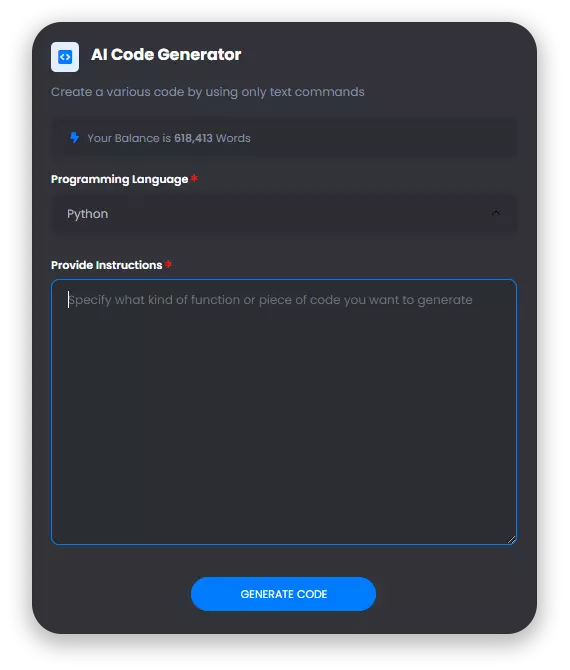
AI Code Generation
Write code like a Pro
Generate complex algorithms simply by using natural language to explain what you are after, we will take care rest for you. Write code like Pro in Python, Flutter, PHP, JavaScript, Ruby and other programming languages.
Think Big, Task Easy
Customers Using Incus Have Experienced:
90%
Time Reduced In Task
4x
Increase In Visibility
60%
Increase In Revenue
Select a Task
Choose from a variety of writing skills trained on industry best-practices
Ads
Create ads much faster and be more creative
Clickbait Titles
Create a creative clickbait titles for your products
Pro
Ad Headlines
Write an attention grabbing ad headlines
Blog Posts
Content for the generating articles, blog post
Blog Titles
Nobody wants to read boring blog titles, generate catchy blog titles with this tool
Blog Section
Write a full blog section (few paragraphs) about a subheading of your article
Blog Ideas
The perfect tool to start writing great articles. Generate creative ideas for your next post
Blog Intros
Write an intro that will entice your visitors to read more about your article
Blog Conclusion
End your blog articles with an engaging conclusion paragraph
Contents
Tools for writing creatives for different moods and tasks
Article Generator
Turn a title and outline text into a fully complete high quality article within seconds
Content Rewriter
Take a piece of content and rewrite it to make it more interesting, creative, and engaging
Paragraph Generator
Generate paragraphs about any topic including a keyword and in a specific tone of voice
Talking Points
Write short, simple and informative points for the subheadings of your article
Pros & Cons
Write the pros and cons of a product, service or website for your blog article
Summarize Text
Summarize any text in a short and easy to understand concise way
Product Description
Write the description about your product and why it worth it
Startup Name Generator
Generate cool, creative, and catchy names for your startup in seconds
Product Name Generator
Create creative product names from examples words
Academic Essay
Create creative academic essays for various subjects just in a second
Creative Stories
Allow AI to generate creative stories for you based on input text
Grammar Checker
Make sure that there are no errors in your content
Summarize for 2nd Grader
Summarize any complex content for a 2nd grader child
Text Extender
Extend your sentences with more description and additional information
Rewrite with Keywords
Rewrite your existing content with including specific keywords
Business Ideas
Generate business ideas based on your keywords and description
Tone Changer
Change the tone of your writing to match your audience
Dictionary
Use a dictionary to find all details of your word
Privacy Policy
Develop a privacy policy information for your organization
Terms and Conditions
Develop a terms and conditions information for your organization
Ecommerce
Powerful tools for e-commerce, listings of your products
Great AI tool to use for academic essay writing and summarising texts!
Josh P
UK
5
Absolutely blown away with the quality of the writing that the AI provides and all the different features, one of the best i've used by far.
Laura S
UK
5
Using this for university and its made my life so much easier!
Tom W
UK
5
Really impressed with everything thats offered by the price!
Sarah
UK
5
Used this when I had a writers block and wow! one of the best features is being able to change the writing tone and style of each text.
Peter Scott
UK
5
An absolute dream for an assignment that I had due. I was skeptical at first, but after seeing my grades go up I use wordfairy for all of my coursework.
John Cross
UK
5
Woohoo! Word Fairy AI just sprinkled some serious writing magic in my life! It's like having a personal writing assistant that never sleeps.
Tim
UK
5
I'm not exaggerating when I say Word Fairy AI is the Dumbledore of writing tools. It's like having a magical professor guiding me through the writing process. I was skeptical at first—it's AI after all, right? But boy, was I proven wrong!
Kira Brown
UK
5
Finally met my writing soulmate! Word Fairy AI has become my brainstorm buddy, my grammar guru, and my secret weapon in the writing world. Its artificial intelligence beams with brilliance, offering word choices I'd never even think of!
Rob
UK
5
Writing just got a major upgrade, thanks to Word Fairy AI! It's like having a pocket-sized Shakespeare with impeccable grammar skills! This clever tool turns my writing foes into friends, fixing those sneaky typos and suggesting ways to improve clarity.
Bill
UK
5
Word Fairy AI is a total game-changer! It's like having a writing superhero by my side, guiding me through every paragraph. It spins my ideas into engaging content effortlessly.
Carol K
UK
5
Wow, Word Fairy AI has turned me into a wordsmith extraordinaire! I used to struggle with writer's block, but with this incredible writing tool, ideas flow like a river.
Rafique
UK
5
Prepare to be mind-blown by Word Fairy AI! This brilliant tool is my secret weapon in the battle against dull content. It sprinkles captivating phrases and catchy headlines all over my writing. Breath-taking AI-powered magic at its best.
Bella
UK
5
Wowza! Word Fairy AI is the writing genie I never knew I needed! With just a few clicks, it conjures up impeccable sentences and helps structure my thoughts flawlessly. Writing, editing, and proofreading have become a breeze.
Antonio
UK
5
This brilliant tool sprinkles dazzling vocabulary and grammar skills into your work, making it shine like a supernova. No more worrying about errors or boring content.
Jenny
UK
5
This baby corrects my clumsy wording, suggests better sentence structures, and even helps me find the perfect synonyms to spice things up. Seriously, if you've ever struggled with writing, let the Word Fairy AI work its magic for you!"
Iris
UK
5
t's like having a personal coach, pushing me towards better writing. Whether I'm composing a professional email or a creative masterpiece, this tool sprinkles linguistic fairy dust on every word. If you're tired of mediocre writing, make Word Fairy AI your new BFF!
Chen
UK
5
My productivity and creativity have hit the stratosphere thanks to this incredible AI. Prepare yourself for word wizardry!
Sumaya
UK
5
Seriously, where has this little AI genius been all my life? Writing projects have become a breeze, and my work is so much more polished now. Word Fairy AI, you've earned your wings in my heart!
Ellie
UK
5
Thanks to this genius AI, my writing has soared to new heights! I can't wait to see what magical stories we'll create together next!
Adam G
USA
5
Great AI tool to use for academic essay writing and summarising texts!
Josh P
UK
5
Absolutely blown away with the quality of the writing that the AI provides and all the different features, one of the best i've used by far.
Laura S
UK
5
Using this for university and its made my life so much easier!
Tom W
UK
5
Really impressed with everything thats offered by the price!
Sarah
UK
5
Used this when I had a writers block and wow! one of the best features is being able to change the writing tone and style of each text.
Peter Scott
UK
5
An absolute dream for an assignment that I had due. I was skeptical at first, but after seeing my grades go up I use wordfairy for all of my coursework.
John Cross
UK
5
Woohoo! Word Fairy AI just sprinkled some serious writing magic in my life! It's like having a personal writing assistant that never sleeps.
Tim
UK
5
I'm not exaggerating when I say Word Fairy AI is the Dumbledore of writing tools. It's like having a magical professor guiding me through the writing process. I was skeptical at first—it's AI after all, right? But boy, was I proven wrong!
Kira Brown
UK
5
Finally met my writing soulmate! Word Fairy AI has become my brainstorm buddy, my grammar guru, and my secret weapon in the writing world. Its artificial intelligence beams with brilliance, offering word choices I'd never even think of!
Rob
UK
5
Writing just got a major upgrade, thanks to Word Fairy AI! It's like having a pocket-sized Shakespeare with impeccable grammar skills! This clever tool turns my writing foes into friends, fixing those sneaky typos and suggesting ways to improve clarity.
Bill
UK
5
Word Fairy AI is a total game-changer! It's like having a writing superhero by my side, guiding me through every paragraph. It spins my ideas into engaging content effortlessly.
Carol K
UK
5
Wow, Word Fairy AI has turned me into a wordsmith extraordinaire! I used to struggle with writer's block, but with this incredible writing tool, ideas flow like a river.
Rafique
UK
5
Prepare to be mind-blown by Word Fairy AI! This brilliant tool is my secret weapon in the battle against dull content. It sprinkles captivating phrases and catchy headlines all over my writing. Breath-taking AI-powered magic at its best.
Bella
UK
5
Wowza! Word Fairy AI is the writing genie I never knew I needed! With just a few clicks, it conjures up impeccable sentences and helps structure my thoughts flawlessly. Writing, editing, and proofreading have become a breeze.
Antonio
UK
5
This brilliant tool sprinkles dazzling vocabulary and grammar skills into your work, making it shine like a supernova. No more worrying about errors or boring content.
Jenny
UK
5
This baby corrects my clumsy wording, suggests better sentence structures, and even helps me find the perfect synonyms to spice things up. Seriously, if you've ever struggled with writing, let the Word Fairy AI work its magic for you!"
Iris
UK
5
t's like having a personal coach, pushing me towards better writing. Whether I'm composing a professional email or a creative masterpiece, this tool sprinkles linguistic fairy dust on every word. If you're tired of mediocre writing, make Word Fairy AI your new BFF!
Chen
UK
5
My productivity and creativity have hit the stratosphere thanks to this incredible AI. Prepare yourself for word wizardry!
Sumaya
UK
5
Seriously, where has this little AI genius been all my life? Writing projects have become a breeze, and my work is so much more polished now. Word Fairy AI, you've earned your wings in my heart!
Ellie
UK
5
Thanks to this genius AI, my writing has soared to new heights! I can't wait to see what magical stories we'll create together next!
Frequently Asked Questions
Got Questions? We have you covered
We are always here to provide full support and clear any doubts that you might have
What Is WordFairy AI?
Word Fairy AI is an advanced artificial intelligence writing tool designed to assist writers in creating high-quality and engaging content. Equipped with state-of-the-art algorithms, this innovative tool offers unparalleled writing guidance and support.
With Word Fairy AI, users can expect an intelligent and efficient writing partner that can generate ideas, provide grammar and spelling suggestions, and help structure essays, articles, or any written work. By leveraging the power of AI, this tool harnesses vast amounts of data and knowledge to deliver accurate and contextually relevant recommendations, saving writers valuable time and effort.
Gone are the days of struggling with writer's block or spending hours on end trying to perfect a sentence or paragraph. Word Fairy AI acts as a virtual mentor, offering creative inspiration and guiding users with well-crafted suggestions tailored to their specific writing needs. Whether you're an aspiring writer, a student, or a seasoned professional, this writing tool is your ultimate companion in the journey of crafting impeccable content.
Does Wordfairy AI Offer A Free Trial?
Absolutely! Word Fairy AI offers a free sign up and trail of 1000 words for you to see all of our different features and test out our custom AI software. We're certain that you will be blown away with how advanced and customised our software is.
What Is The Word Fairy AI Referral Scheme
Do you know anyone who can benefit from Word Fairy AI? Refer a friend and we will give you 50% of the value of the first month of their subscription in the form of a digital amazon voucher. Get in touch with us at admin@wordfairy.ai for more details!
How Does Word Fairy AI Work?
Equipped with cutting-edge algorithms, Word Fairy AI assists users in generating engaging and persuasive content across various genres and formats. From blog posts and marketing copy to academic papers and creative writing, this tool adapts to the specific writing style and requirements of each user, providing invaluable suggestions to enhance coherence, clarity, and overall impact.
What sets Word Fairy AI apart is its ability to learn and adapt to individual preferences and writing goals. As users interact with the tool, it gradually tailors its suggestions based on their writing patterns and preferences. This personalized approach ensures that each user receives the most relevant and helpful recommendations throughout their writing journey.
By leveraging the vast knowledge and deep understanding of language encoded within its algorithms, Word Fairy AI enables writers to express their ideas with precision and eloquence. From grammar and spelling corrections to insightful vocabulary suggestions, this tool acts as a virtual writing tutor, providing continuous feedback and support to help users reach their full potential.
How Are Texts Generated For The Same Answer Different?
What sets Word Fairy AI apart is its ability to analyze the context and purpose of the writing, generating tailored suggestions that resonate with the intended audience. By considering factors such as genre, tone, and target audience, this tool guides users toward crafting content that captivates and engages readers, making every written piece a masterpiece.
Furthermore, Word Fairy AI acts as a platform for continuous growth and improvement. By analyzing the writing patterns and preferences of each user, this tool learns and adapts, delivering increasingly accurate and contextually relevant suggestions as users interact with it more frequently. This personalized approach guarantees that each individual's unique style and voice shine through, fostering a sense of authenticity in every written work.
With its vast knowledge database and intricate understanding of language nuances, Word Fairy AI offers comprehensive writing support at users' fingertips. From instantaneous grammar checks to insightful vocabulary suggestions, this tool inspires users to push the boundaries of their writing abilities and enables them to create compelling and impactful content that resonates with their intended audience.
This means that even if the same question for the same topic is asked 100 times, there will be 100 unique and completely different answers with no similarities.
How Is Word Fairy AI Different From Chat GPT?
Word Fairy AI is distinct from Chat GPT in terms of its primary function and purpose. While Chat GPT is mainly designed to engage in conversational interactions and provide responses like a chatbot, Word Fairy AI focuses predominantly on enhancing the writing capabilities of its users. With a range of advanced language models and text generation algorithms, Word Fairy AI aims to assist individuals in crafting high-quality written content for various purposes, such as articles, reports, blog posts, or creative writing. By leveraging it's powerful AI technology, Word Fairy AI can provide users with intelligent suggestions, grammar corrections, and insightful recommendations to refine their writing skills and create compelling textual compositions.
Can I Use Word Fairy For My University Assignments?
Yes, you can definitely use Word Fairy for your university assignments. Word Fairy AI is an advanced artificial intelligence writing tool designed to assist users in creating well-written and professional documents. Its powerful features, such as grammar and spell-check, suggest improvements, and content enhancement, make it an ideal tool for academic writing.
Word Fairy AI ensures that your assignments are free from grammatical errors, typos, and awkward phrasing. This tool not only helps you proofread your work but also offers suggestions for improving sentence structure, vocabulary usage, and overall coherence. It acts as a virtual writing assistant, providing valuable feedback to enhance the quality of your assignments.
Moreover, Word Fairy AI saves you time and effort by automating tedious tasks such as citations and bibliography formatting. With its comprehensive database of citation styles, including APA, MLA, and Chicago, you can be confident that your references are accurately formatted. This allows you to focus more on the content of your assignments, ensuring it meets the high academic standards set by your university.
It is important to note that while Word Fairy AI assists and streamlines the writing process, it is still your responsibility as a student to ensure the integrity of your work. The tool's primary purpose is to enhance your writing skills and provide suggestions, but ultimately, you must ensure that the content and ideas presented in your assignments are original and properly cited.
In summary, Word Fairy AI is an invaluable tool for your university assignments. It provides a range of features designed to improve your writing, enhance the quality of your work, and save you time. By using Word Fairy AI, you can confidently submit well-written and professional assignments that meet the academic standards of your university.
I Still Have Questions
No Problem at all! Please feel free to get in touch with us at admin@wordfairy.ai and we would be more than happy to help





Facebook Ads
Write Facebook ads that engage your audience and deliver a high conversion rate
Instagram Captions
Grab attention with catchy captions for your Instagram posts
Instagram Hashtags Generator
Find the best hashtags to use for your Instagram posts
Social Media Post (Personal)
Write a social media post for yourself to be published on any platform
Social Media Post (Business)
Write a post for your business to be published on any social media platform
Facebook Headlines
Write catchy and convincing headlines to make your Facebook Ads stand out
Google Ads Headlines
Write catchy 30-character headlines to promote your product with Google Ads
Google Ads Description
Write a Google Ads description that makes your ad stand out and generates leads
LinkedIn Posts
Create an interesting linkedin post with the help of AI
Twitter Tweets
Generate an interesting twitter tweets with AI
LinkedIn Ad Headlines
Attention-grabbing, click-inducing and high-converting ad headlines for LinkedIn
LinkedIn Ad Descriptions
Professional and eye-catching ad descriptions that will make your product shine